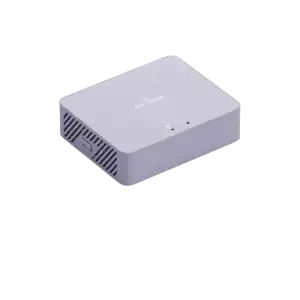
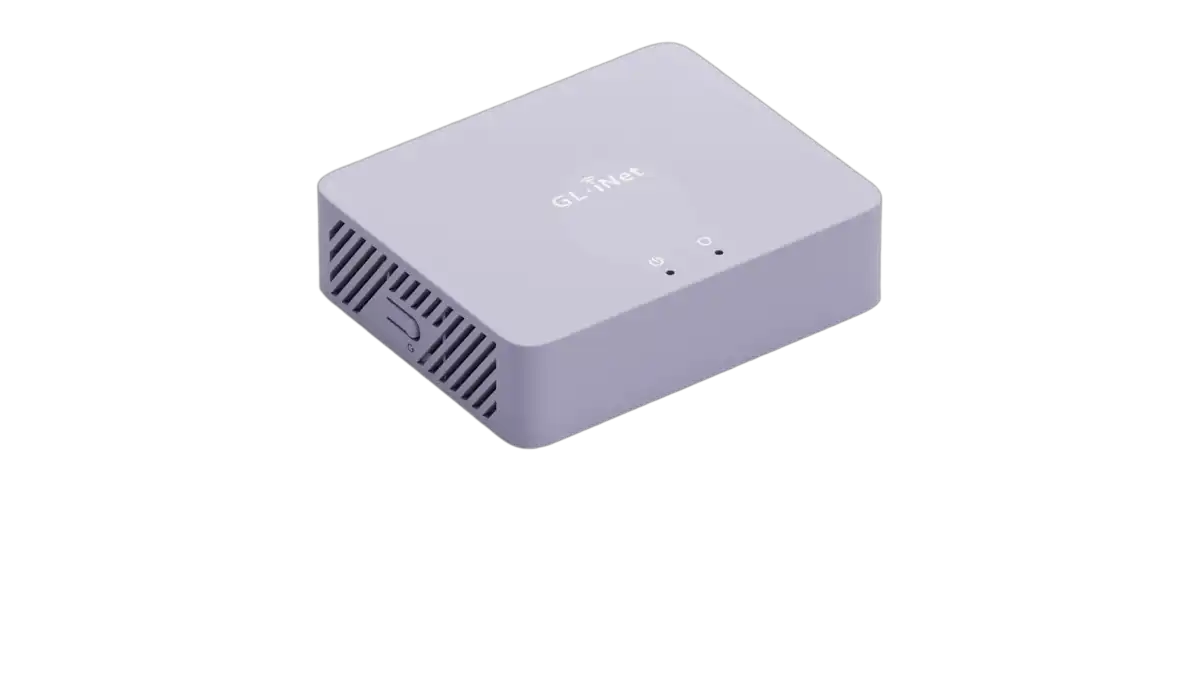
And this silent, fanless box the size of a deck of cards is the only honest fix.
The VPN Subscription Isn’t Protecting What You Think It Is
There’s a gap in most people’s home network security that nobody in the cybersecurity industry is particularly motivated to point out: your VPN app only protects the device it’s installed on. Your laptop is encrypted. Your phone is encrypted. Your spouse’s laptop running three-year-old Chrome and automatic updates disabled? Not encrypted. Your smart TV? Your game console? The IoT thermostat that phoned home to a server in Shenzhen at 3 AM last Tuesday? Also not encrypted — and probably not even configurable.
The remote work era made this gap matter more. Across America, millions of people are conducting business from home networks that were designed for streaming and browsing, not for the kind of traffic security that corporate IT departments have enforced on-premise for decades. The number of Americans working fully or partially remote has stabilized at historic highs, and with it has come a quiet, distributed security problem that no app-based VPN subscription fully addresses.
Your VPN app protects one device. Everything else on your home network is still an open question.
A Security Gateway That Sits Between the Internet and Everything Else
The GL.iNet MT5000 — sold under the Brume 3 product name — is a wired VPN security gateway. It has no Wi-Fi radio. It’s roughly the size of a large deck of playing cards, draws less than 3 watts under normal load, has no fan, and makes no noise. You plug it between your modem and your existing router, and everything that flows through your network — every device, every smart appliance, every background process — passes through it and gets managed by it.
That’s the structural shift the Brume 3 enables. Instead of installing VPN software on individual devices and hoping every household member remembers to keep it active, you configure it once on this gateway and it applies to your entire network without exception and without ongoing attention.
Configure it once. Every device behind it is covered — automatically, permanently, without anyone remembering to press a button.
The Number That Changes the Conversation
VPN routers have existed for years, but they’ve historically come with a punishing trade-off: encryption is computationally expensive, and most consumer routers handle it in software, on CPUs not designed for the task. The practical result is that enabling a VPN on a typical consumer router cuts your available bandwidth by 70 to 90 percent. A 1 Gbps fiber connection becomes 100–150 Mbps through the VPN tunnel — enough to notice, enough to resent, enough to quietly disable it.
The Brume 3 breaks this trade-off with hardware acceleration. Its MediaTek quad-core Cortex-A53 CPU offloads WireGuard processing to dedicated hardware, delivering up to 1100 Mbps of VPN throughput — meaning a gigabit fiber connection stays a gigabit fiber connection through the encrypted tunnel. This is more than three times faster than its predecessor, the Brume 2, and genuinely fast enough that the encryption becomes invisible in day-to-day use. 4K streaming, large file transfers, video calls, and background downloads all proceed without VPN-induced throttling.
OpenVPN-DCO — the modern, kernel-accelerated implementation of OpenVPN — reaches up to 1000 Mbps on the same hardware for users who need compatibility with services that don’t yet support WireGuard. Either protocol, at these speeds, eliminates the historical reason most people turned VPN off and forgot about it.
1100 Mbps through a WireGuard tunnel. The encryption finally runs fast enough that you stop noticing it exists.
What’s Actually Running Inside This Box
The three 2.5G ports are the hardware detail that separates the Brume 3 from earlier compact gateways. With flexible WAN/LAN configuration, you can run dual-ISP setups — two separate internet lines simultaneously — with automatic failover if one drops. For anyone who has ever been mid-call when their ISP’s infrastructure had a bad afternoon, dual-WAN failover is the kind of reliability feature that sounds technical until the moment it silently keeps you online while your neighbor’s identical ISP connection goes dark.
VPN obfuscation is the other feature that rewards closer examination. Standard VPN protocols have recognizable traffic signatures — network firewalls, corporate IT filters, and some ISPs can detect and block them. Obfuscation disguises VPN traffic as regular HTTPS, making the encrypted tunnel indistinguishable from normal web browsing. For remote workers accessing company resources through restrictive networks, or households in regions where VPN usage is monitored, this feature quietly solves a problem that no marketing copy typically acknowledges exists.
The Deep Packet Inspection engine adds a layer of active network management that most home users have never had access to. It operates from a continuously updated threat database, blocking malicious sites, malware distribution networks, and unwanted content categories at the network level — before any request reaches a device. The visual dashboard tracks application usage and traffic patterns over a seven-day window, which is useful both for spotting anomalies and for identifying which device is consuming disproportionate bandwidth.
Then there’s OpenWrt — the open-source router operating system that GL.iNet builds its interface on top of, while leaving full root access available to anyone who wants it. With 1GB of DDR4 RAM and 8GB of eMMC storage, there’s enough headroom to run AdGuard Home, Tailscale, a lightweight NAS using external storage via the USB 3.0 Type-C port, or a DLNA media server. The Brume 3 is simultaneously a polished consumer product and an open hardware platform for anyone who wants to go further.
OpenWrt with 1GB RAM and 8GB storage makes this a network appliance for today and a platform for whatever you need it to be next year.
Who This Is Built For — and Who Should Skip It
The Brume 3 is not an all-in-one solution. There is no Wi-Fi radio. This is a deliberate engineering decision — removing the antenna hardware keeps the device focused, compact, and low-power — but it means the Brume 3 is a network layer that sits between your modem and your existing router or access point, not a replacement for one. Buyers who want a single box that does everything will find the no-Wi-Fi spec frustrating. Buyers who already have a capable wireless access point or mesh system and want to add a security and VPN layer will find it exactly right.
The setup curve is real but manageable. GL.iNet’s admin interface is significantly more accessible than raw OpenWrt, and common tasks — connecting to a VPN provider, enabling DPI, configuring failover — are handled through clean web UI panels rather than command-line configuration. The audience for this device is not networking experts exclusively; it’s anyone who has reached the point of caring enough about their home network security to move beyond a monthly VPN subscription that only half-solves the problem.
This is for people who have finally admitted that a VPN app on their laptop isn’t actually a network security strategy.
The Quiet Box That Does the Heavy Lifting
The Brume 3 runs continuously, silently, on less power than a nightlight, and handles encryption, traffic inspection, multi-WAN failover, and content filtering without requiring any ongoing attention. Once configured, it disappears — physically behind your router, operationally into the background of a network that now works the way a security-conscious person always wished their home network worked.
For remote workers whose home has become their office, for households with enough connected devices to constitute a small business, and for anyone who has spent enough time thinking about network security to realize that device-by-device VPN apps are a patch rather than a solution — this is the honest answer.
The best security is the kind you configure once, forget exists, and never notice failing — and that’s precisely what the Brume 3 is engineered to be.